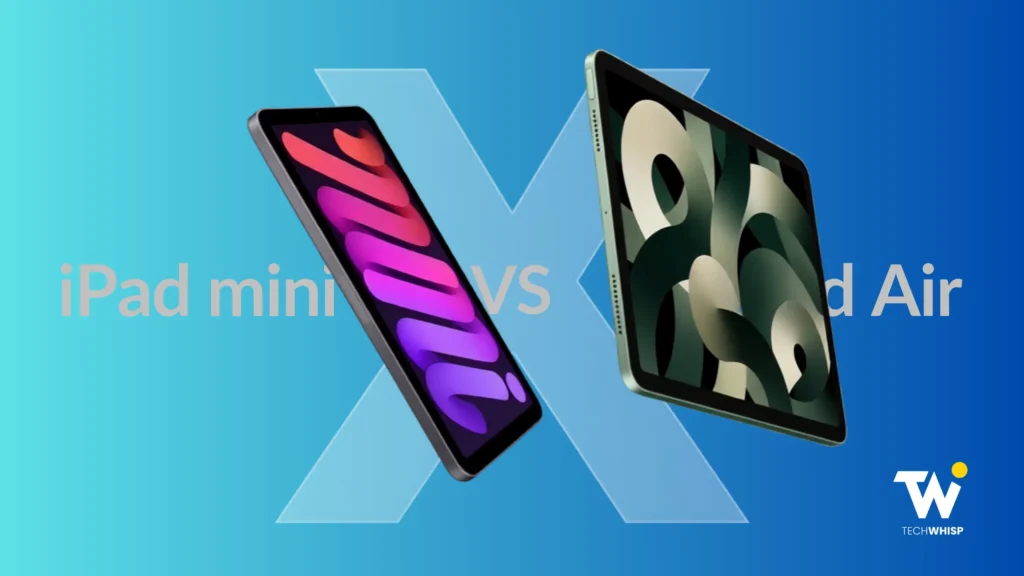
Stuck in the iPad Mini vs. iPad Air debate? The final choice comes down to portability, productivity, and, of course, your pocket. The iPad Mini starts at $599 and offers a compact 8.3-inch display, while the 11-inch iPad Air starts at $749 and provides a larger workspace, M4 performance, 12GB of unified memory, and Magic Keyboard support.
The iPad Mini is the better fit for reading, commuting, travel, one-handed use, and quick note-taking, while the iPad Air is better suited to multitasking, creative workloads, and laptop-style productivity. Your decision gets tougher knowing Apple’s September event didn’t introduce a new iPad Mini or iPad Air.
If you’ve researched iPads and narrowed it down to iPad Mini and iPad Air, we already know you’re on the fence on this one. It’s a tough one to decide between these two superb iPads while ensuring your choice won’t make you regret the purchase in the long term. Fair enough. Let’s settle it once and for all!
They’re More Alike Than You Think
The iPad Air vs. iPad Mini debate entails one of the more interesting buying decisions in Apple’s current iPad lineup, not because the two devices are dramatically different, but precisely because they’re quite similar on paper.
Both run iPadOS 26, support Apple Pencil Pro, and use Liquid Retina displays. They also have Touch ID in the top button and a USB-C port. Both support Apple Intelligence, and Apple rates them for up to 10 hours of web browsing on Wi-Fi or video playback.
However, Apple Intelligence feature availability can vary by hardware, software version, language, and region.
When you break the iPad Air vs Mini decision down to its core, two priorities matter more than your budget: how portable you need your iPad to be, and how much display space and performance you need for productivity or creative work.
Size and Portability
If you’re wondering how big an iPad Mini is, the answer is small enough to hold comfortably in one hand, but large enough to actually get things done.
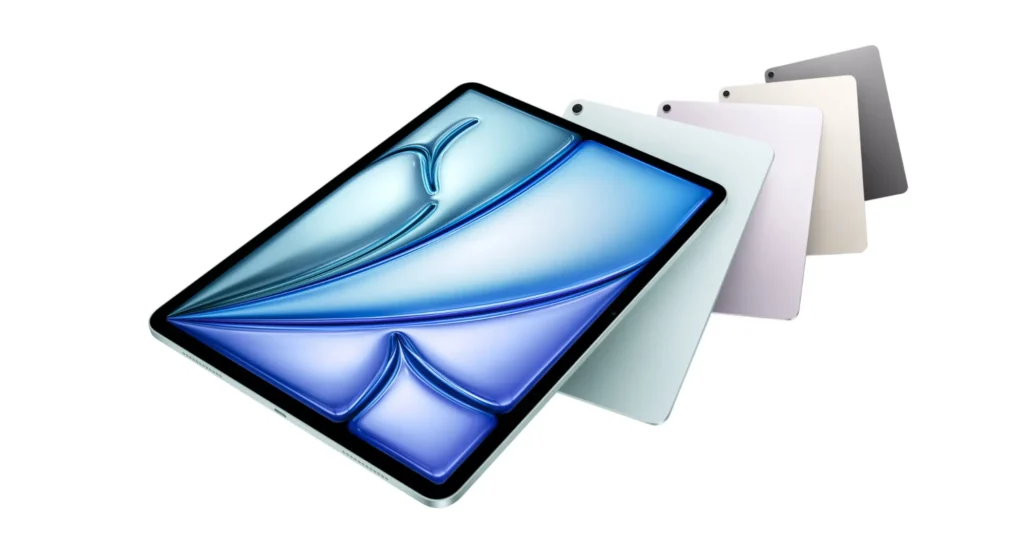
The iPad Mini comes with an 8.3-inch display. The iPad Air comes in two sizes, 11 inches and 13 inches. That may not sound like a massive difference on a spec sheet, but it changes the experience entirely.
The iPad Mini: Built for Your Hand, Not Your Desk
At 293 grams (Wi-Fi) or 297 grams (Cellular), the iPad Mini is one of the lightest tablets Apple has ever made. Users describe it as genuinely one-hand-friendly.
The iPad Mini is also comfortable to hold during a commute, and its compact size makes it easy to carry in purses, flight bags, and small bags without taking up much space.
The 11-inch iPad Air, on the other hand, weighs 464 grams for the Wi-Fi model and 465 grams for Wi-Fi + Cellular. The 13-inch model weighs 616 grams for Wi-Fi or 617 grams for Wi-Fi + Cellular.
The difference between the two iPads is noticeable during extended handheld use, which is where the Mini’s lower weight becomes one of its biggest advantages.
The iPad mini excels in scenarios where portability is non-negotiable, such as when you’re commuting on public transport, reading on a couch, using it with one hand, giving it to a child, carrying it in a flight bag, or annotating documents in meetings.
Where the Screen Size Actually Changes Things
The iPad Air, however, gives you more screen space. An 11-inch or 13-inch display fundamentally changes what you can do on the device. Side-by-side apps are actually useful. PDFs are easier to read, and spreadsheets become more practical to work with.
If you’re using your iPad at a desk or as part of a serious productivity setup, the larger screen is a meaningful advantage, not just a luxury.
Source: Apple (Image © Apple Inc. Used for commentary/review purposes)
Quick Comparison: iPad Mini vs. iPad Air (2026)
Choosing between the iPad Air and iPad Mini comes down to how you plan to use your device day to day. This quick comparison below highlights the key differences in features, performance, and usability to help you decide.
| Feature | iPad Mini (A17 Pro) | iPad Air (M4, 2026) |
| Price | $599 (128GB Wi-Fi) | $749 (128GB Wi-Fi, 11″) / $949 (128GB Wi-Fi, 13″) |
| Chip | A17 Pro | M4 |
| RAM | Not specified by Apple | 12GB unified memory |
| Display | 8.3″ Liquid Retina | 11″ or 13″ Liquid Retina |
| Weight | 293g (Wi-Fi) / 297g (Cellular) | 464g / 465g (11″), 616g / 617g (13″) |
| Wi-Fi | Wi-Fi 6E | Wi-Fi 7 |
| Bluetooth | 5.3 | 6 |
| Keyboard | Supports Bluetooth keyboards; no Magic Keyboard | Supports Magic Keyboard |
| Apple Pencil Pro | Yes | Yes |
| Apple Intelligence | Yes | Yes |
| Battery | Up to 10 hours | Up to 10 hours |
A17 Pro vs M4: What the Performance Gap Means
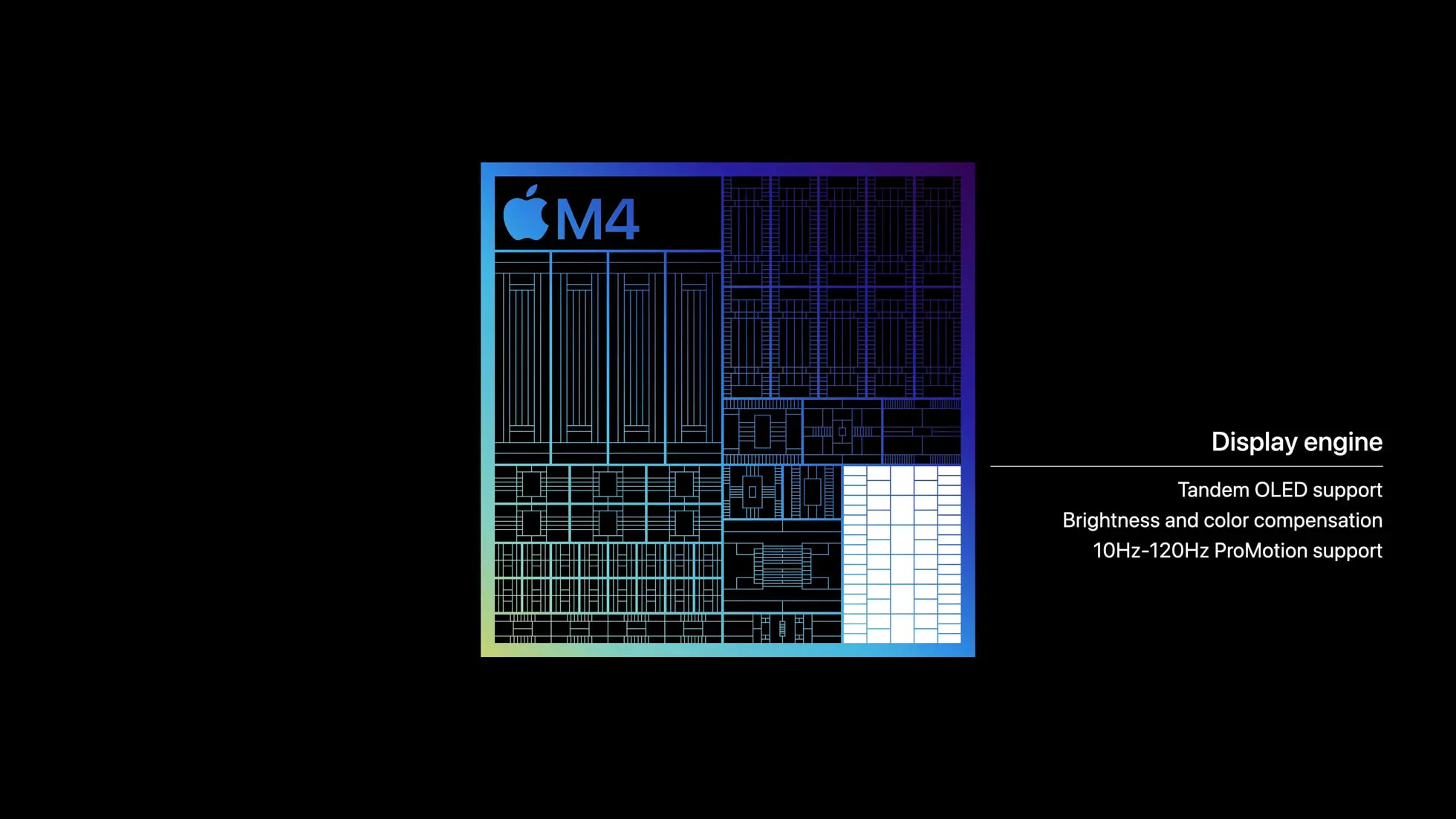
The iPad Mini runs on Apple’s A17 Pro chip, while the iPad Air uses Apple’s M4 chip with 12GB of unified memory. Apple does not publish a RAM figure for the current iPad mini on its technical specifications page.
For everyday tasks such as reading, browsing, streaming, note-taking, and normal productivity, the A17 Pro remains highly capable.
Source: Medium
The A17 Pro can comfortably handle common everyday workloads, while the performance difference matters more during sustained, demanding tasks. The Air’s M4 chip provides more headroom for creative apps, video editing, graphics-heavy games, large files, and heavy multitasking.
For users who regularly switch between demanding applications or work with complex creative projects, the iPad Air is the stronger performance choice. For reading, browsing, streaming, notes, and normal productivity, the iPad Mini remains more than capable.
There’s also the matter of performance headroom over time. Both models should receive years of software support, but the Air’s higher performance ceiling gives it more headroom for demanding workloads as software requirements evolve.
In a nutshell, the A17 Pro suits everyday use, reading, note-taking, gaming, and normal productivity, while the M4 offers more headroom for demanding creative and professional workloads.
Both the current iPad Mini and iPad Air can also work as a second display for a compatible Mac through Apple’s Sidecar feature, although the Air’s larger display makes it the more practical option for desk-based use.
Apple Pencil Pro
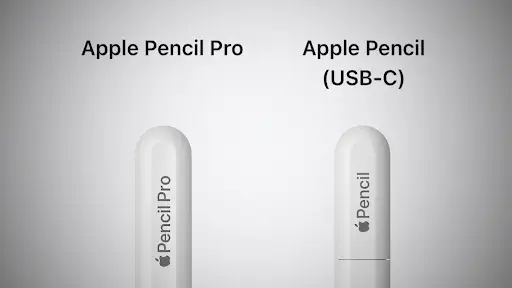
The iPad Mini (A17 Pro) and iPad Air (M4) both support Apple Pencil Pro and Apple Pencil (USB-C). The core Pencil capabilities overlap significantly, but the different display sizes make the overall drawing and note-taking experience different.
Both the iPad Mini and iPad Air support Apple Pencil hover, allowing users to preview the position of the Pencil before it touches the display. This can help with precise drawing, illustration, and interface interactions.
Source: Heise
If you’re a casual note-taker or annotate PDFs a few times a week, this won’t be a huge change.
However, if you’re an illustrator who works in fine detail on a small canvas, the iPad Mini’s compact form makes it a compelling choice for on-the-go creative work. You get the same hover precision as the Air, just in a smaller package.
For the iPad Air, the larger screen is the bigger advantage for artists. Illustrating on a 13-inch display with Apple Pencil Pro feels qualitatively different from working on an 8.3-inch screen, and the Air offers the same full hover support.
Magic Keyboard
Source: Apple (Image © Apple Inc. Used for commentary/review purposes)
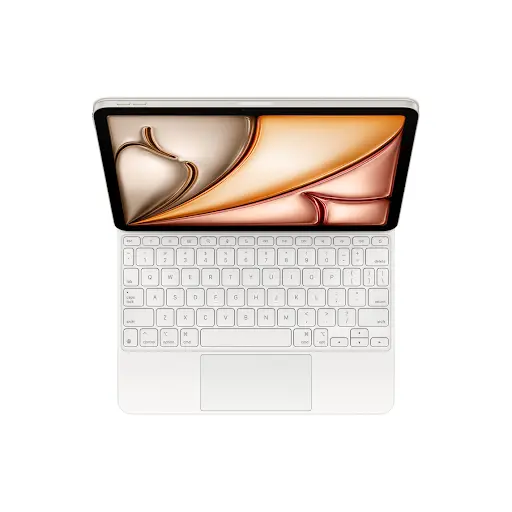
This is one of the clearest practical differences between the two devices: The iPad Air supports the Magic Keyboard, which includes a large glass trackpad, a 14-key function row, a scissor-mechanism keyboard, and USB-C pass-through charging.
The iPad Mini supports Bluetooth keyboards, but it does not offer the same first-party Magic Keyboard productivity setup as the Air.
The Magic Keyboard support makes the Air better suited to sustained writing, email, document editing, spreadsheet work, research, and presentations when used as a laptop supplement.
You can still pair the Mini with a Bluetooth keyboard, but its 8.3-inch display offers far less workspace for extended typing and multitasking. If reducing how often you need to use a laptop matters in your buying decision, the iPad Air is the better choice.
The $150 Price Difference: Is the iPad Air Worth It?
The iPad Mini starts at $599 for 128GB Wi-Fi. The 11-inch iPad Air starts at $749, and this is a $150 difference between the two iPads. The 13-inch iPad Air starts at $949, making it a significantly more expensive option.
For the $150 difference between the Mini and the 11-inch Air, you get a larger display, a more powerful chip, 12GB of unified memory, Wi-Fi 7 connectivity, Bluetooth 6, and Magic Keyboard support. That’s a meaningful list of upgrades.
Shaving 171 grams also makes the Mini genuinely pocketable in a way the Air never quite is. And that brings us to the real point: the iPad mini vs. iPad Air gap is not about specs. It is about how you’ll use the device day to day.
If portability matters more to you than extra screen space and performance, saving $150 and choosing the iPad Mini may make more sense.
The iPad Mini also carries a somewhat curious reputation for being priced higher than people expect for its size. Buyers expect a smaller iPad to be cheaper, yet the iPad Mini’s $599 price puts it close to larger tablets and even entry-level laptops, making its compact size feel more premium than budget-friendly.
Many first-time buyers ask why the iPad Mini is more expensive than iPad models in the lower lineup, and the answer is straightforward. The reason is that Apple positions it as a premium compact device, not a budget iPad.
You’re paying for the form factor, not getting a discount. If the size is your priority, the price is justified. If you’re hoping for a budget iPad that happens to be small, this isn’t the one!
Wi-Fi 7 vs Wi-Fi 6E: Does It Actually Matter?
The iPad Air (M4) uses Apple’s N1 wireless networking chip and supports Wi-Fi 7 and Bluetooth 6. The iPad Mini (A17 Pro) supports Wi-Fi 6E and Bluetooth 5.3.
Wi-Fi 7 is a genuine technical advantage for the Air, but its real-world benefit depends on compatible networking equipment and workloads that can use the extra capability.
For everyday browsing, streaming, downloads, and video calls, wireless connectivity alone should not determine which iPad you buy.
In practice, for most users in 2026, the difference isn’t massive. Only a few home routers fully take advantage of Wi-Fi 7, and the overwhelming majority of iPad streaming, browsing, downloading apps, and video calls run well on Wi-Fi 6E.
The Air’s wireless advantage is real, but it’s more of a future-proofing story than an immediate daily gain!
Apple Intelligence
Both the iPad Mini (A17 Pro) and iPad Air (M4) support Apple Intelligence. However, that does not mean every Apple Intelligence capability is identical across the two devices. Feature availability can vary according to hardware, software version, language, and region.
Our iPad Mini vs. Air comparison recommends that even though both devices support Apple Intelligence, users should check the availability of specific features against Apple’s current requirements.
Which iPad Should You Buy?
Both iPads are genuinely good. The difference is not quality, but the fit. Here is how to know which one suits your needs.
Get the iPad Mini if you are:
- A daily commuter who wants a lightweight tablet that fits easily in a small bag.
- A dedicated reader who holds their device one-handed for extended periods.
- A parent buying a tablet for a child.
- A pilot, healthcare worker, or field professional who needs a compact device for quick reference.
- A note-taker who works on the go and prioritizes portability above everything else.
- An artist who values the Pencil Pro hover feature on a small, portable canvas.
Get the iPad Air M4 if you are:
- A student who wants an iPad that can serve as a capable laptop supplement.
- A creative professional doing illustration, video editing, or audio production.
- Someone who frequently multitasks across multiple apps.
- A light professional user who wants a tablet that can genuinely anchor a workday with a Magic Keyboard attached.
- Anyone who regularly works at a desk and wants a display large enough to be productive on.
- A user who wants more performance headroom for demanding workloads over time.
The Part Where We Stop Sitting on the Fence
For users who prioritize productivity, multitasking, a larger display, and keyboard-based work, the iPad Air is the stronger choice.
The 11-inch model currently starts $150 above the iPad mini, and that higher price brings a larger workspace, M4 performance with 12GB of unified memory, Wi-Fi 7, Bluetooth 6, and Magic Keyboard support.
But the Air is not automatically the better iPad for everyone. If portability, one-handed use, reading, commuting, travel, or an 8.3-inch form factor is your priority, the iPad mini is the better fit.
The simplest way to decide: the iPad Air is the productivity- and performance-first choice, while the iPad Mini is the portability-first choice.
FAQs
Can you connect external storage to the iPad Mini and iPad Air?
Yes. Both iPads can access compatible USB drives, SSDs, and memory card readers through the Files app when connected using the appropriate USB-C cable or adapter. The Air is not fundamentally more capable at file management, but its larger display can make browsing, previewing, and moving files more comfortable.
Does the iPad Air M4 support 5G, and how does that compare to the iPad Mini?
Both devices offer cellular variants with 5G support. The iPad Air (M4) cellular models use Apple’s C1X modem. Apple says C1X can deliver up to 50 percent faster cellular data performance and, for active cellular users, up to 30 percent lower modem energy usage than the iPad Air with M3. The iPad Mini (A17 Pro) also supports 5G, but Apple does not name its modem in the current technical specifications, so it is better not to describe it as using an older modem architecture.
Is the iPad Mini 7 good for students, or is the iPad Air a better option?
It depends on the student’s workload. The iPad Mini is an excellent option for reading, note-taking, commuting, and portable use. The iPad Air is better suited to sustained multitasking, document and spreadsheet work, creative applications, and keyboard-based productivity.
How does storage compare between the iPad Mini and the iPad Air?
The iPad Mini (A17 Pro) is available with 128GB, 256GB, or 512GB of storage. The iPad Air (M4) offers 128GB, 256GB, 512GB, and 1TB. Both provide the same three lower-capacity options, while the Air adds a 1TB configuration for users with larger storage requirements.
Which iPad is better for gaming in 2026: the Mini or the Air?
The M4 chip in the iPad Air provides more performance headroom for graphics-heavy games and sustained workloads than the A17 Pro in the iPad Mini. The A17 Pro is still a capable gaming chip, but if maximum gaming performance is the priority, the Air is the stronger choice.
Disclosure: This comparison is based on Apple’s official product pages, hands-on findings from trusted reviewers, and real-user feedback from communities like r/iPad and r/apple. No devices were personally tested by the author. All prices mentioned are in USD and correct as of the publishing date. Prices may be subject to change, and TechWhisp recommends checking directly with Apple or your preferred retailer for the most up-to-date pricing. TechWhisp cannot be held responsible for any price changes after publishing.