iOS 27 is here, and most iPhone owners should update today. You get a refined Liquid Glass design and system improvements. Siri AI and the new AI-powered Safari and Photos tools require an iPhone 15 Pro, iPhone 15 Pro Max, or any iPhone 16 model or later, with availability depending on language and region.
What’s New in iOS 27
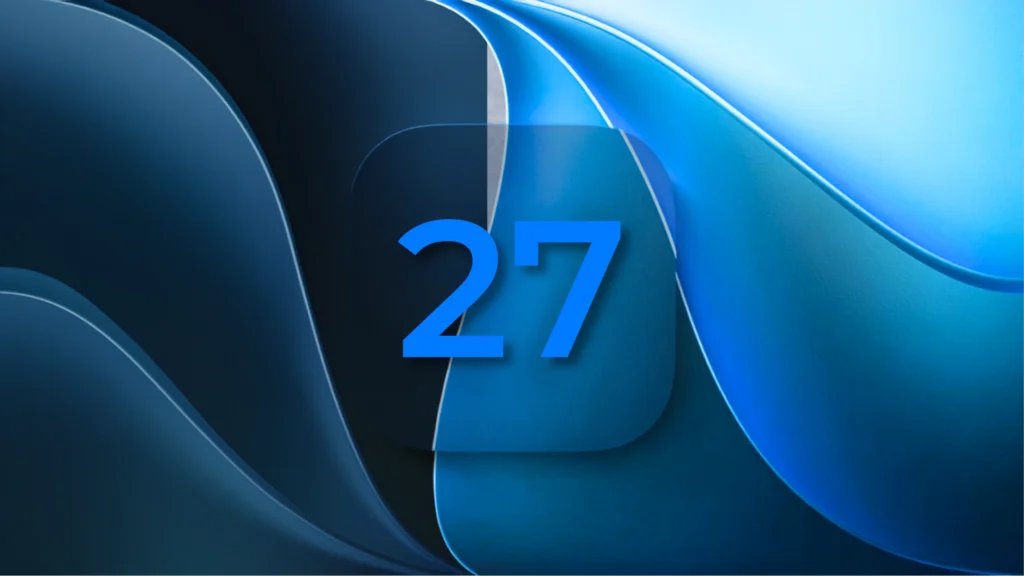
iOS 27 arrived on Monday, September 14, 2026, as a free update for every supported iPhone. It brings the biggest Siri overhaul in years, plus dozens of smaller changes across the system.
Apple reworked the Liquid Glass look it introduced in iOS 26. A new iOS 27 Liquid Glass slider in Settings, under Appearance, lets you dial the effect anywhere from ultra-clear to fully tinted.
The following AI additions to Safari, Photos, Calendar, Writing Tools, and Image Playground require an Apple Intelligence-compatible iPhone: iPhone 15 Pro, iPhone 15 Pro Max, or any iPhone 16 model or later.
Safari also gets smarter. It can sort your open tabs into topics, watch a page for changes and alert you, and build simple extensions from a plain-language description.
Photos picks up a Spatial Reframing tool for reworking photo compositions, plus an upgraded Clean Up feature for removing distractions from the background.
Calendar can now read a typed sentence, like “lunch with Sam Friday at noon,” and turn it into a real event. It picks out the person, date, and place on its own.
Writing Tools and Image Playground both got sharper, part of the wider iOS 27 Apple Intelligence push. Image generation now runs on a private cloud model, though heavy use runs into a daily limit.
On the family side, iOS 27 adds updated parental controls, a refreshed set of app icons, and system performance improvements across supported devices.
Read Apple’s own rundown of the update on its official iOS 27 page for the full feature list.
The Siri AI Story: What It Does and Where It Falls Short
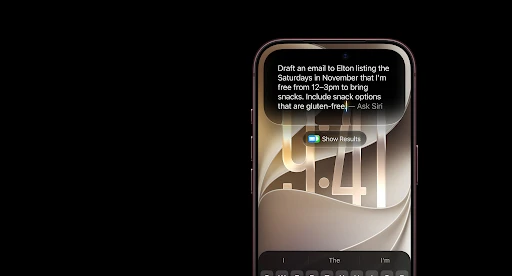
Siri AI iOS 27 is the headline feature of this release, and it works nothing like the old Siri. Apple rebuilt it as a generative AI assistant, closer in spirit to Claude or ChatGPT.
Source: Apple (Image © Apple Inc. Used for commentary/review purposes)
You can now hold a real back-and-forth conversation with Siri instead of issuing single commands. It remembers context from earlier in the chat and can string several tasks into one request.
Siri AI also gets on-screen awareness, so it can act on whatever is visible on your screen. It pulls personal context from Mail, Messages, Notes, Reminders, and Calendar to give more useful answers.
Apple also moved Siri into its own dedicated app. That gives you one place to start a conversation and scroll back through past ones.
Reporting on the beta suggests Siri AI draws on a mix of Apple’s own models and Google’s Gemini technology. Apple has not confirmed this itself, so treat it as informed reporting, not an official statement.
The Restrictions You Need to Know
Siri AI is rolling out in English as a beta on supported devices. Apple plans to expand it to additional languages, although availability varies by region and device.
The EU is a bigger gap. Siri AI will not launch on any iPhone, iPad, or Apple Watch inside the European Union at first, because of the bloc’s Digital Markets Act. Apple says it is working on a fix.
China misses out too. Siri AI stays unavailable there while Apple works through separate regulatory requirements.
Then there are the Siri AI usage limits. Some server-based features run through Apple’s cloud, and those carry daily caps that shift with the feature, how complex your request is, and overall demand.
Paid iCloud+ subscribers get a higher daily allowance, though Apple excludes the entry-level 50GB tier from that boost. A bigger iCloud+ plan buys you more headroom.
Expressive Voices has a higher hardware requirement than basic Siri AI. Apple names iPhone Air, iPhone 17 Pro, and iPhone 17 Pro Max among supported iPhones. Having Siri AI on an iPhone 15 Pro or iPhone 16 does not automatically give you customizable expressive voices.
Which iPhones Get What
This is the split almost every other guide gets wrong. iOS 27 compatibility and Siri AI compatibility are two separate lists, and mixing them up will leave you disappointed after updating.
Every iPhone that ran iOS 26 also runs iOS 27. That covers the iOS 27 supported iPhones list: iPhone 11 and later, plus the second-generation iPhone SE and newer.
Siri AI and Apple Intelligence require an iPhone 15 Pro, iPhone 15 Pro Max, or any iPhone 16 model or later. Some capabilities, including Expressive Voices, have additional hardware requirements.
The table below breaks this down feature by feature, so you can see exactly what your iPhone gets.
| Feature | Minimum iPhone Needed |
| iOS 27 install (design, performance, security) | iPhone 11 or iPhone SE (2nd generation) |
| Siri AI conversations and on-screen awareness | iPhone 15 Pro, iPhone 15 Pro Max, or iPhone 16 series and later |
| Liquid Glass transparency slider | iPhone 11 or iPhone SE (2nd generation) |
| Safari Organize by Topic, Notify Me, and Describe an Extension | iPhone 15 Pro, iPhone 15 Pro Max, or any iPhone 16 model or later |
| Siri AI Expressive Voices | Requires Apple’s advanced on-device model; supported iPhones include iPhone Air, iPhone 17 Pro, and iPhone 17 Pro Max. |
| Photos Spatial Reframing, Extend, and enhanced Clean Up | iPhone 15 Pro, iPhone 15 Pro Max, or any iPhone 16 model or later |
| Home app Apple Intelligence camera features | iPhone 15 Pro or newer, plus a 2TB iCloud+ plan |
| Hands-free Siri with AirPods 5 | Any Apple Intelligence-capable iPhone (iPhone 15 Pro or later) |
Notice how many rows need an iCloud+ plan or a specific chip on top of the iPhone itself. iOS 27 is generous with design and performance upgrades, but the AI layer stays picky.
How to Update to iOS 27
Apple confirmed the iOS 27 release date as September 14, 2026, rolling out over the air starting around 10 a.m. Pacific Time. Here’s how to update to iOS 27 safely.
- Back up your iPhone first. Use iCloud or a computer, so you have a safety net if anything goes wrong during setup.
- Connect to Wi-Fi and plug your iPhone in, or make sure the battery is well above half. A big update like this needs both time and power.
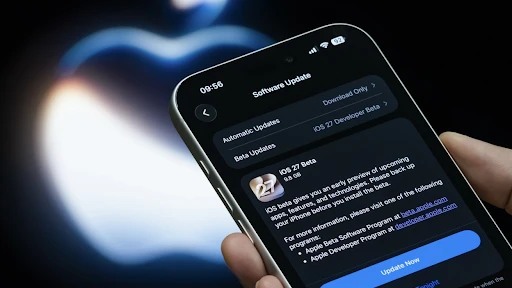
- Open Settings, tap General, then tap Software Update. Your iPhone checks for iOS 27 and shows it as available once Apple releases it for your account.
- Tap Download and Install, then enter your passcode when asked. The install can take fifteen minutes or more, so plan for some downtime.
Once it finishes, your iPhone restarts on the new lock screen. On the family side, iOS 27 adds updated parental controls, a refreshed set of app icons, and system performance improvements across supported devices.
Source: Lifehacker
Should You Update Now or Wait?
Is iOS 27 worth it? For most users, the design refinements and system improvements make it worth considering. However, the new AI-powered Safari and Photos features require an Apple Intelligence-compatible iPhone.
If you own an iPhone 15 Pro or newer, the case gets stronger. You are eligible for the Siri AI rollout, which is currently available in English and remains subject to regional availability.
There is a fair argument for waiting a few days if your iPhone is your main work tool. Every major iOS release can bring early bugs, so users who rely heavily on their iPhone for work may prefer to wait for the first round of post-launch fixes.
If you own an iPhone 11 through iPhone 14, or a base iPhone 15, temper your expectations. You get the design and security benefits, but Siri AI stays out of reach until you upgrade your hardware.
Frequently Asked Questions
How much free storage do I need before installing iOS 27?
The exact amount varies by iPhone, but major iOS updates need several gigabytes of temporary free space for downloading and installation. Free up iPhone storage by clearing unused apps, videos, or downloads beforehand to help prevent installation problems.
Will updating to Apple iOS 27 delete my photos, apps, or messages?
A normal iOS27 download is designed to keep your apps, photos, messages, and settings intact. Backing up first is still recommended in case the installation is interrupted or something unexpected goes wrong.
What should I do if iOS 27 does not appear in Software Update?
Check that your iPhone is supported, restart the device, reconnect to the internet, and check Software Update again. Rollouts can also take some time to reach every device immediately after release.
Will all of my existing apps work after installing iOS 27?
Most actively maintained apps should continue working, but older apps can occasionally have compatibility problems after a major iOS release. Updating your apps through the App Store before and after installing iOS 27 can reduce those issues.
What should I do if my iPhone gets stuck while installing iOS 27?
Give the device time to finish first, especially if the progress bar is still moving. If it remains completely unresponsive for an unusually long period, a forced restart or recovery through a Mac or PC may be necessary.
Note: All prices mentioned are in USD and correct as of the publishing date. Prices may be subject to change, and TechWhisp recommends checking directly with the manufacturer or your preferred retailer for the most up-to-date pricing. TechWhisp cannot be held responsible for any price changes after publishing.