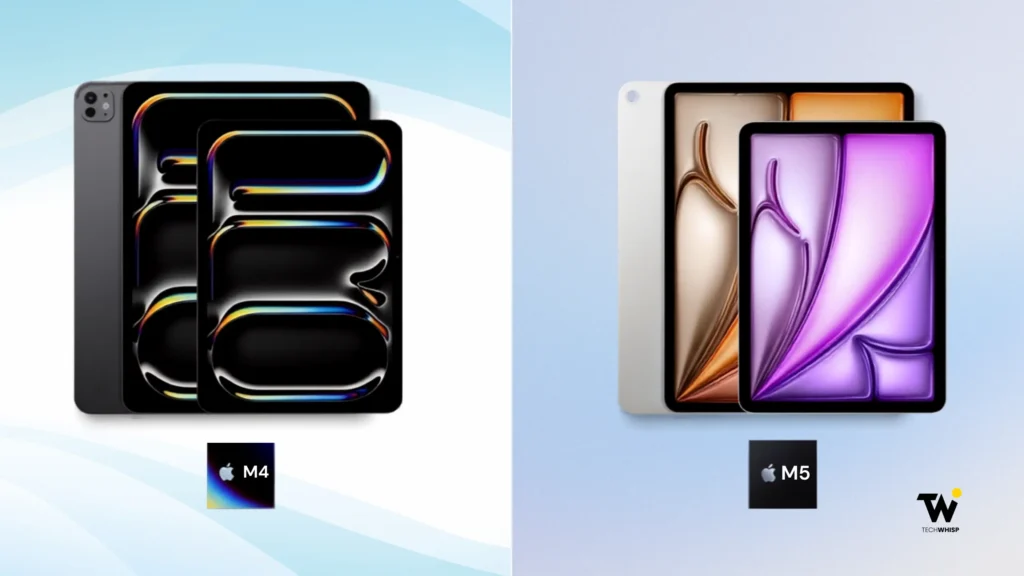
Stuck in the iPad Air M4 vs iPad Pro M5 debate? At $749, the iPad Air M4 is the right choice for most people. The iPad Pro M5 is worth the $450 premium only if you need its OLED display, Thunderbolt port, or ProRes video for professional work. For students and everyday users, the Air wins.
Both the iPad Air M4 and iPad Pro M5 are genuinely great tablets. Either one handles everyday tasks, creative work, and entertainment without breaking a sweat. So the actual question is simpler: Does your workflow justify spending $400 more?
We are putting the $599 11-inch Air head-to-head against the $999 11-inch Pro in this post to help you decide if that $400 upgrade is actually worth it.
Price Gap Explained
For the 11-inch models, the iPad Air M4 starts at $749, while the iPad Pro M5 starts at $1,199. At 13 inches, the Air starts at $949, compared with $1,499 for the Pro. That makes the entry-level price difference $450 for the 11-inch models and $550 for the 13-inch models.
There is also a storage difference worth noting. The Air starts at 128GB. The Pro starts at 256GB. If you want 256GB on the Air, it will cost $849, which closes the gap somewhat. But the Pro at $1,199 still gives you a better display, faster chip, and Thunderbolt connectivity for that price.
Notably, the Pro offers a nano-texture glass option on 1TB and 2TB models for an extra $100. It is a matte anti-glare finish aimed at photographers and designers working under harsh lighting.
For many users, the M5 Pro’s hyper-fast chip and Tandem OLED screen are simply expensive overkill. If you don’t need a complete laptop replacement, saving a few hundred dollars on the Air is the smarter move.
Alternatively, if portability is your top priority over sheer screen size, weigh the Air against Apple’s smallest tablet before deciding.
Display Differences That Actually Matter
The iPad Pro M5 OLED display vs. iPad Air M4 Liquid Retina difference is the single most important factor in this comparison.
The iPad Air M4 uses a Liquid Retina LCD. It is bright at 500 nits on the 11-inch and 600 nits on the 13-inch, and it looks good for everyday use.
The iPad Pro M5 uses a Tandem OLED panel branded as Ultra Retina XDR. It peaks at 1,600 nits for HDR content and delivers true blacks because OLED pixels switch off completely rather than blocking a backlight.
It also runs at 120Hz with ProMotion, meaning the display adapts its refresh rate from 10Hz to 120Hz depending on what is on screen.
Scrolling feels noticeably smoother on the Pro. HDR video looks dramatically better in dark scenes. If you do color-critical photo or video editing, the Pro’s display is a professional tool. If you mostly browse, take notes, and watch YouTube, the Air’s screen is genuinely fine.
The iPad Air M4 vs iPad Pro M5 display gap is real. Whether it matters depends on how you use your iPad.
Honest Talk About Performance
The iPad Air M4 vs iPad Pro M5 performance difference exists on paper. Whether it shows up in your daily workflow is a separate question.
The Air has an M4 chip with an 8-core CPU, 9-core GPU, 12GB unified memory, and 120 GB/s memory bandwidth.
The Pro has an M5 chip with a 9-core CPU on base models (256GB/512GB) and a 10-core CPU on higher storage models (1TB/2TB), with a 10-core GPU across all configurations, 12 to 16GB unified memory (16GB only on 1TB and 2TB models), and 153 GB/s memory bandwidth. This is about 27% more than the Air.
The M4 and M5 feel identical for regular tasks, like browsing, email, note-taking, video calls, light photo editing, and streaming. You will not notice a difference when opening apps or multitasking with Stage Manager.
Where M5 pulls ahead is sustained GPU workloads, large video exports in Final Cut Pro, complex 3D rendering, and running large AI models. Apple claims up to 3.5x faster AI performance on M5 versus M4. For a video editor or ML developer, that gap is meaningful. For most other users, it is not.
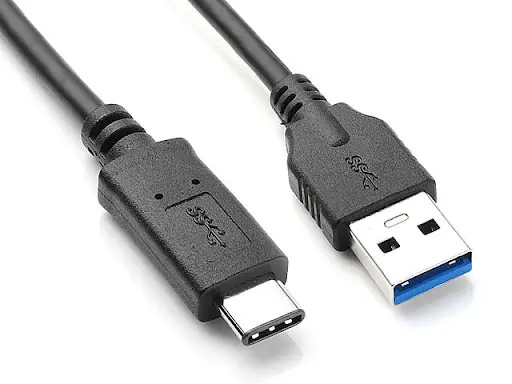
Thunderbolt vs USB 3
This is one of the more practical differences in the iPad Air M4 vs iPad Pro M5 Thunderbolt vs USB 3 comparison.
Source: Medium
The Pro has a Thunderbolt port running at 40 Gbps. The Air has a USB 3 port running at 10 Gbps. For most users, this will never come up.
But if you connect an external SSD for video editing, drive a high-resolution external display, or use pro audio interfaces, the Pro’s Thunderbolt port changes what is possible.
The Pro can drive an external display at up to 6K at 60Hz, or 5K at 120Hz. If your workflow does not involve external peripherals, the port difference is irrelevant. If it does, the Pro is the clear choice.
Audio and Extra Hardware
The Pro has a four-speaker system with spatial audio. The Air has two speakers. For music production or serious film editing, the Pro’s audio is noticeably better. For casual listening or video calls, the Air is perfectly adequate.
The Pro also includes studio-quality microphones, which matter if you record voice-overs or audio directly to the iPad. You can also use multiple windows on the iPad Air M4.
Two Things That Surprise Most Buyers
Two facts about these iPads catch people off guard, and both are worth stating clearly.
First, the Pro is physically thinner and lighter than the Air. The iPad Pro M5 11-inch is 5.3mm thick and weighs 444g (Wi-Fi) or 446g (cellular). The iPad Air M4 11-inch is 6.1mm thick and weighs 464g (Wi-Fi) or 465g (cellular). The premium device is more portable. Most buyers assume the opposite.
Second, both iPads feature top-tier wireless tech with Wi-Fi 7 and Bluetooth 6 support. While the iPad Pro M5 introduced Wi-Fi 7 to the lineup first with its late 2025 launch, the newer iPad Air M4 matched that standard at release.
Since both devices run the same wireless protocols, network speed is no longer a deciding factor.
Features the Pro Has That the Air Does Not
Beyond the display and chip, the iPad Pro M5 includes a few things the Air doesn’t offer.
The Pro has a LiDAR scanner, which enables faster AR experiences and improved low-light autofocus. This matters for AR developers or photographers. For most users, it rarely comes up.
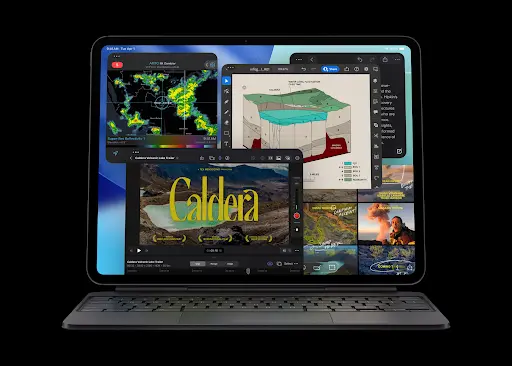
The Pro supports ProRes video recording, the professional codec used in film and television post-production. If you record video professionally, this is significant. If you do not, it adds nothing to your workflow.
Source: Apple
Who Should Buy the Air?
The iPad Air M4 vs iPad Pro M5 for students answer is clear: buy the Air.
At $599, the Air delivers M4 performance, 12GB of memory, Wi-Fi 7, and a capable Liquid Retina display. It runs every app the Pro runs and supports both the Apple Pencil Pro and the Magic Keyboard.
According to Forbes, the iPad is used by over 70% of Fortune 500 companies, and the vast majority of those use cases do not require Pro-level hardware.
You should buy the Air if you are:
- A student who needs a reliable, powerful device for lectures, note-taking, and essays. iPad Air M4 for students works incredibly well for this.
- A professional utilizing the iPad primarily for daily productivity, administrative tasks, and light creative work.
- A casual gamer looking for smooth performance without paying a premium for elite graphics processing.
- Anyone who wants an excellent iPad experience without paying extra for high-end display technology they may not fully use.
Who Should Buy the Pro
The iPad Air M4 vs iPad Pro M5 for creative professionals has a more specific answer.
You should buy the Pro if your workflow requires:
- High-end video editing: You regularly edit 4K video streams in demanding apps like Final Cut Pro or LumaFusion.
- Color-critical graphic design: You do professional design work where perfect display accuracy and true blacks are non-negotiable.
- Pro-level music production: You create tracks in Logic Pro and rely on a Thunderbolt port to drive complex audio interfaces.
- Advanced technical development: You develop AR applications, run large AI models locally, or frequently move massive files using high-bandwidth external storage.
Is the iPad Pro M5 worth it over the iPad Air M4? It comes down to one thing: if the Pro’s specific capabilities directly serve your work, the premium is justified. If they do not, the Air is the better value by a considerable margin.
Quick Specs Comparison
Here’s a comparative breakdown of the prices, specs and features of the iPad Air M4 and iPad Pro M5:
| iPad Air M4 | iPad Pro M5 | |
| Starting price (11-inch) | $749 | $1,199 |
| Starting price (13-inch) | $949 | $1,499 |
| Starting storage | 128GB | 256GB |
| Chip | M4 (8-core CPU, 9-core GPU) | M5 (9-core CPU on 256GB/512GB; 10-core CPU on 1TB/2TB; 10-core GPU) |
| RAM | 12GB | 12GB (16GB on 1TB/2TB) |
| Memory bandwidth | 120 GB/s | 153 GB/s |
| Display | Liquid Retina LCD, 60Hz | Ultra Retina XDR OLED, 120Hz ProMotion |
| Brightness | 500 nits (11-inch) | 1,000 nits SDR / 1,600 nits HDR |
| Port | USB 3 (10 Gbps) | Thunderbolt/USB 4 (40 Gbps) |
| Wireless | Wi-Fi 7, Bluetooth 6 | Wi-Fi 7, Bluetooth 6 |
| Thickness (11-inch) | 6.1mm | 5.3mm |
| Weight (11-inch Wi-Fi) | 464g | 444g |
| Speakers | 2 speakers | 4 speakers with spatial audio |
| LiDAR | No | Yes |
| ProRes video | No | Yes |
| Battery | Up to 10 hours | Up to 10 hours |
| Colors | Blue, Purple, Starlight, Space Gray | Silver, Space Black |
Bottom Line
For most people, the answer to iPad Air M4 vs iPad Pro M5 is the Air.
The M4 chip handles virtually every task outside of professional video production and heavy AI workloads. The Liquid Retina display is good. The Air supports every accessory the Pro supports. At $599, it is an exceptional value.
The Pro earns its price for video editors, professional designers, music producers, AR developers, and anyone whose workflow depends on Thunderbolt. For that group, the OLED display and M5 chip are not luxury features, but essential tools.
Is iPad Pro M5 worth the extra money? For most people, no. For the right person, absolutely yes.
FAQs
Does the iPad Air M4 support Apple Pencil 2?
No. Neither the iPad Air M4 nor the iPad Pro M5 supports Apple Pencil 2. Both support Apple Pencil Pro and Apple Pencil (USB-C). Apple Pencil 2 is exclusive to older iPad Pro and iPad Air models with a magnetic charging side.
How much extra does cellular cost on each model?
Cellular adds $150 to the iPad Air M4, regardless of size. So the 11-inch Air Wi-Fi model at $749 becomes $899 with cellular, and the 13-inch Air Wi-Fi model at $949 becomes $1,099.
What storage options are available beyond the base configuration?
The iPad Air M4 is available in 128GB, 256GB, 512GB, and 1TB. The iPad Pro M5 starts at 256GB and goes up to 512GB, 1TB, and 2TB. On the Pro, upgrading to 1TB or 2TB also upgrades your RAM from 12GB to 16GB, which matters for the most demanding professional workflows.
Is Face ID available on both models?
No, Face ID is only available on the iPad Pro M5. The iPad Air M4 uses Touch ID integrated into the top button for secure unlocking and authentication.
Can both iPads use Sidecar with a Mac?
Yes, both the iPad Air M4 and iPad Pro M5 support Sidecar. This lets you use either iPad as a secondary display for a Mac, wirelessly or via cable.
Note: All specifications are sourced from Apple’s official product pages. All prices mentioned are in USD and correct as of the publishing date. Prices may be subject to change, and TechWhisp recommends checking directly with Apple or your preferred retailer for the most up-to-date pricing. TechWhisp cannot be held responsible for any price changes after publishing.